Network issues don’t always happen when you’re sitting at a desk.
Outages, alarms, and on-site work often require fast decisions, real-time visibility, and accurate updates — exactly when teams are away from the NOC. That’s why Errigal IDMS includes NOC mobile apps designed to bring the power of the platform directly to your phone.
Errigal’s NOC mobile apps ensure that visibility, ticketing, and workflows don’t stop when teams leave their desks — they simply move with them.
Why Mobile Access Matters in Modern Network Operations
Modern networks are no longer centralized or simple. They are distributed across regions, built on layered technologies, and expected to operate continuously. From core infrastructure to edge devices, the environment is always on — and so are the teams responsible for managing it.
Field engineers, NOC staff, and operations managers all need access to the same accurate, real-time information. However, they rarely work in the same physical location. In many cases, the most critical decisions happen away from the control room.
Without mobile access, teams often rely on:
-
Phone calls back to the NOC for updates
-
Incomplete information before arriving on site
-
Manual notes taken in the field and entered later
-
Delayed ticket updates after work is completed
These gaps create inefficiencies. They slow response times, increase the risk of miscommunication, and reduce the quality of operational data.
Errigal’s mobile apps are designed to eliminate these gaps by extending the core IDMS experience directly into the field — ensuring that the same intelligence available in the control room is accessible wherever work is happening.
What the Errigal NOC Mobile Apps Are Designed For
Errigal’s NOC mobile apps are not lightweight viewers or read-only tools. They are purpose-built to support real operational workflows in live network environments.
They are designed to help:
-
Field engineers work more efficiently and confidently on-site
-
NOC teams maintain visibility even when away from their desks
-
Operations teams reduce response times and improve data accuracy
Most importantly, the mobile apps use the same data, correlation logic, permissions, and workflows as the desktop platform. There is no duplication of systems and no fragmented information. The experience is simply optimized for mobile use — streamlined for speed, clarity, and usability in real-world conditions.
Mobile Navigator: Real-Time Network Visibility Anywhere
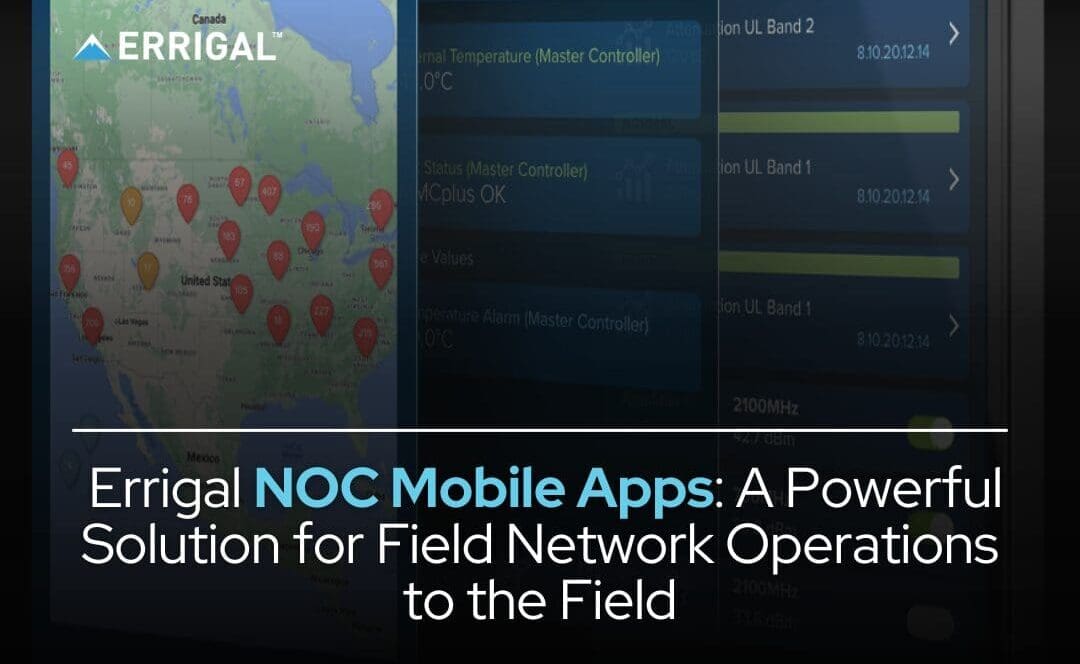
Mobile Navigator provides a live view of your network, wherever you are.
With Mobile Navigator, users can:
-
View device status and health in real time
-
See active alarms and severity levels
-
Drill into individual devices to review context and history
-
Gain immediate situational awareness without logging into a desktop system
This makes Mobile Navigator particularly valuable for:
-
Checking network health while away from the NOC
-
Reviewing conditions before heading on-site
-
Staying informed during incidents without needing a laptop
-
Supporting escalation calls with real-time data at hand
In time-critical situations, clarity matters. Mobile Navigator delivers the essential context teams need — quickly and reliably.

Mobile Ticketer: Built for Field Teams
While visibility is essential, action is what resolves incidents. Mobile Ticketer is designed specifically for on-site execution and ticket management.
It enables field teams to:
-
Receive and review assigned tickets in real time
-
Access alarm details and full device context before starting work
-
Update ticket status as tasks progress
-
Add structured notes, photos, and maintenance details directly from the field
By capturing updates as work happens — rather than hours later — Mobile Ticketer:
-
Reduces back-and-forth communication with the NOC
-
Improves the accuracy and completeness of ticket records
-
Ensures operational data remains timely and audit-ready
This directly improves reporting, compliance tracking, and long-term performance analysis.
How Mobile Apps Improve Day-to-Day Operations
Teams using Errigal’s mobile apps typically experience:
-
Faster on-site triage and decision-making
-
Fewer repeat site visits due to missing information
-
Better-quality operational and historical data
-
Improved response and resolution times
-
Stronger coordination between field and NOC teams
Mobile access does not replace existing workflows — it extends them to where the work is actually happening. It removes unnecessary friction and keeps operations aligned in real time.
Getting Started with Errigal Mobile Apps
The Errigal NOC mobile apps are available for iOS and Android and can be enabled according to user roles and permissions within IDMS.
Many organizations begin by:
-
Enabling mobile access for a focused group of field engineers
-
Using mobile tools for break/fix or preventative maintenance tickets
-
Expanding adoption gradually as workflows are optimized
This phased approach allows teams to build confidence while ensuring consistency with established processes.
Conclusion
Network operations do not pause when teams leave the control room — and the tools supporting them should not either.
By bringing real-time visibility, intelligent ticketing, and operational workflows directly into the field, Errigal’s mobile apps empower teams to respond faster, work smarter, and maintain confidence in their network operations wherever they are.
In modern environments, mobility is not an enhancement. It is an operational requirement.
Related Articles: