Network monitoring & operations automation

World Leaders In Network Management Tools and Software

Bring your network, your people and your operations together. Errigal connects monitoring, alarms and workflows across complex, multi-vendor environments.

Multi-vendor network visibility
Connected operational workflows
Insight for every team
From the NOC to the field

EXPERIENCE AT SCALE

25+ Years of Proven Network Monitoring Expertise
10M+ Devices connected
3M+ Alarms processed daily
150,000 Devices currently managed
25+ Years of experience

Find your solution

One platform. Built for your world.

Different networks. Different priorities. Explore how Errigal brings the right visibility and operational tools to your environment.

01 / DAS Monitoring

Deep DAS expertise. Down to the detail that matters.

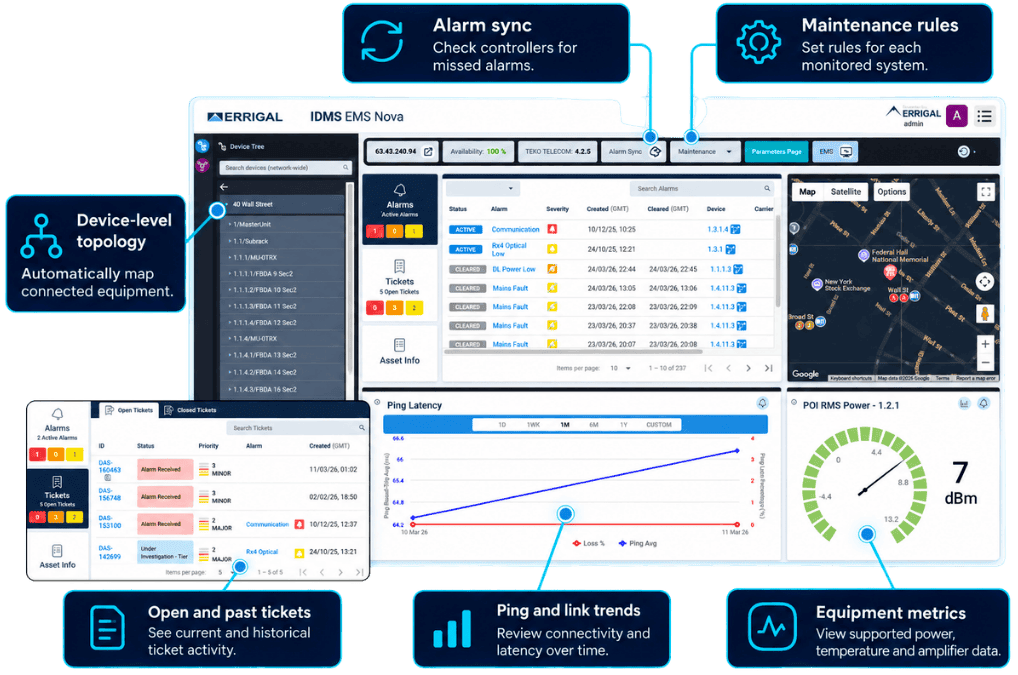
Bring your DAS estate into focus. Errigal connects equipment status, alarms and supported performance data across vendors and buildings, giving your team the context to investigate and respond.

  • Monitor supported DAS equipment across your estate.
  • Connect alarms with tickets, notifications and escalation.
  • Add AirScan to understand wireless service quality.
Explore DAS monitoring

TRUSTED BY INDUSTRY LEADERS
02 / Telecommunications

Complex networks. Clear operational control.

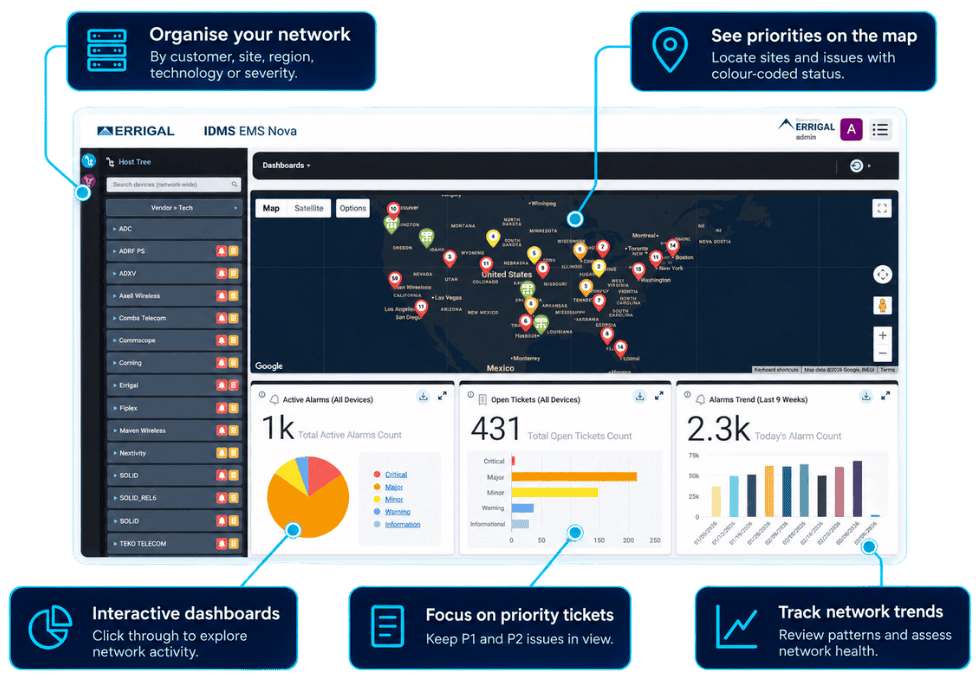
Bring routers, switches, fibre-network equipment, wireless systems and DAS into one operational view. NOVA connects monitoring across vendors and locations, giving your NOC and field teams the information they need to understand issues and coordinate a response.

  • Bring power, cooling and environmental data into one view.
  • Correlate alarms to help teams prioritise their response.
  • Coordinate incidents through ticketing and workflows.
  • Share dashboards and reports internally and to customer accounts.
Explore telecommunications

TRUSTED BY INDUSTRY LEADERS

03 / Energy & Utilities

Keep critical utility assets in view.

From plant sites and substations to remote equipment and metering points, NOVA brings supported device status, alarms and site conditions into one operational view. Help your teams see where attention is needed, investigate changes and coordinate the response.

  • Monitor alarms from supported utility equipment and remote devices.
  • See power, HVAC, environmental and connectivity status.
  • Track metering data and trends where available.
  • Share dashboards and reports across teams.
Explore utility solutions

TRUSTED BY INDUSTRY LEADERS
04 / RF Product Manufacturers

Give your RF hardware a management experience to match.

Errigal works with RF manufacturers to build the software layer around their products. Connect device data to a clear operational view, helping your customers deploy, monitor and support equipment across their networks.

  • Discover and map deployed devices.
  • View topology and supported configurations.
  • Manage alarms and track performance.
  • Tailor the management view to your product family.
Explore RF manufacturer solutions

TRUSTED BY INDUSTRY LEADERS
05 / AirScan

See wireless performance from the user's perspective.

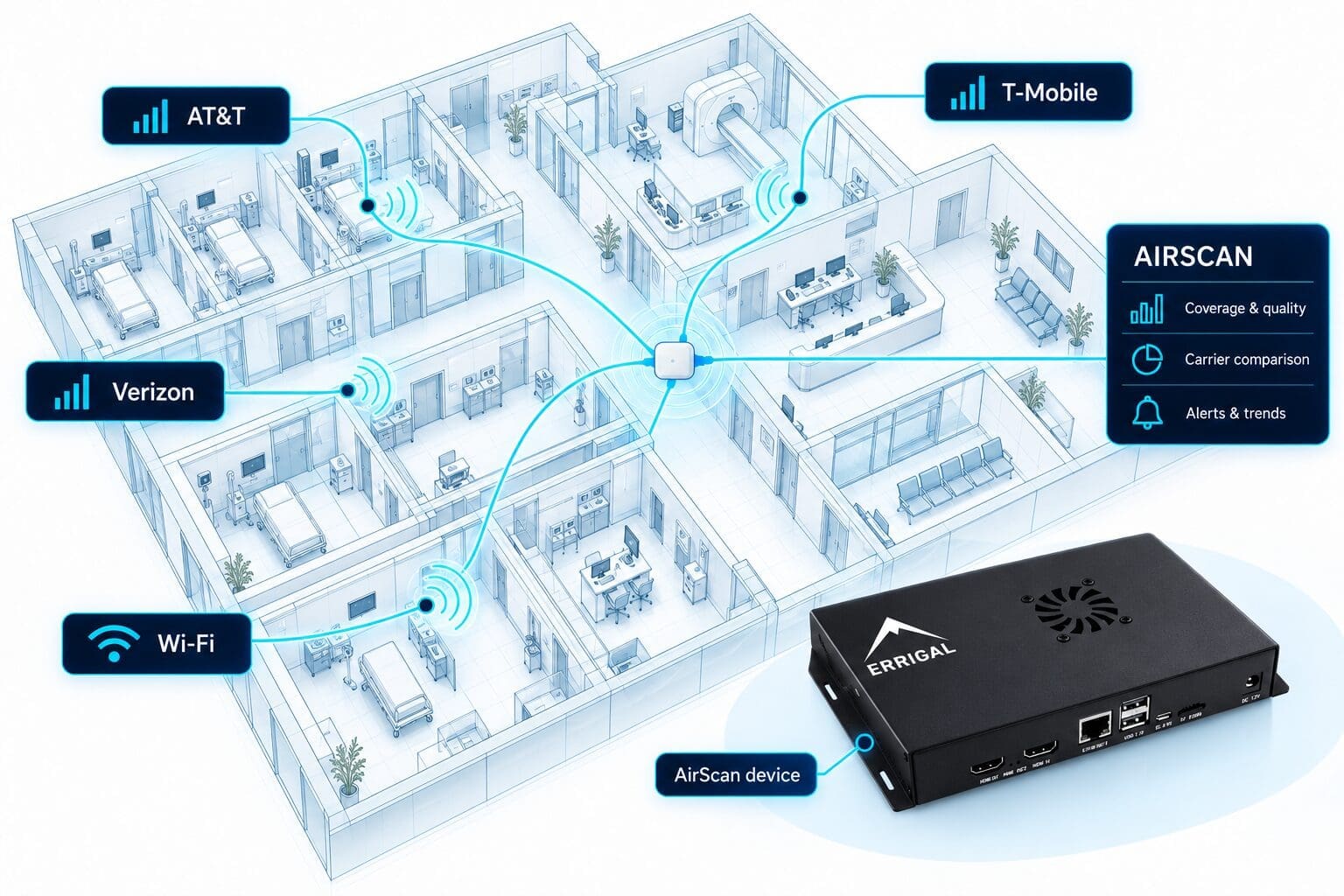
AirScan tests cellular and Wi-Fi service at the site, giving your team a clearer picture of the connectivity people experience. Compare carriers, track signal quality and performance, and act when results fall below your thresholds.

  • Test cellular and Wi-Fi connectivity.
  • Compare carrier performance.
  • Track signal quality, throughput and trends.
  • Create alerts and tickets when thresholds are breached.
Explore AirScan

TRUSTED BY INDUSTRY LEADERS

PLAN YOUR NEXT STEP

A clear path from discovery to daily use.

Start with your network and the outcomes your team needs. Shape a rollout plan around the agreed scope.

01

Understand your estate

Review sites, equipment, current tools and operational priorities.

Shared requirements brief
02

Confirm the scope

Agree supported monitoring, integrations, modules and deployment needs.

Defined technical scope
03

Configure & validate POC

Test the agreed alarms, dashboards and workflows against your use cases.

Evidence against criteria
04

Train & roll out

Prepare your teams, agree handover and plan ongoing support.

Practical operational plan

Illustrative engagement journey. Delivery plans and responsibilities are agreed for each project.

Discuss your evaluation ↗

Explore the Errigal platform

From the first alarm to the final report.

Keep information and action connected throughout the operational workflow.

ONE CONNECTED PLATFORM

The context behind every alarm.

Bring supported devices and network events into a shared view. Give teams the context to investigate, prioritise and respond across sites and vendors.

Explore network monitoring ↗
Equipment contextAlarm visibilitySupported metrics

OPERATIONAL INSIGHT

Make network information useful to every team.

See your network at a glance, review performance trends and share operational reports with internal teams and customer accounts.

Explore reporting & analytics ↗
Performance TrendsOperational VisibilityTeam Visibility

CONNECTED RESPONSE

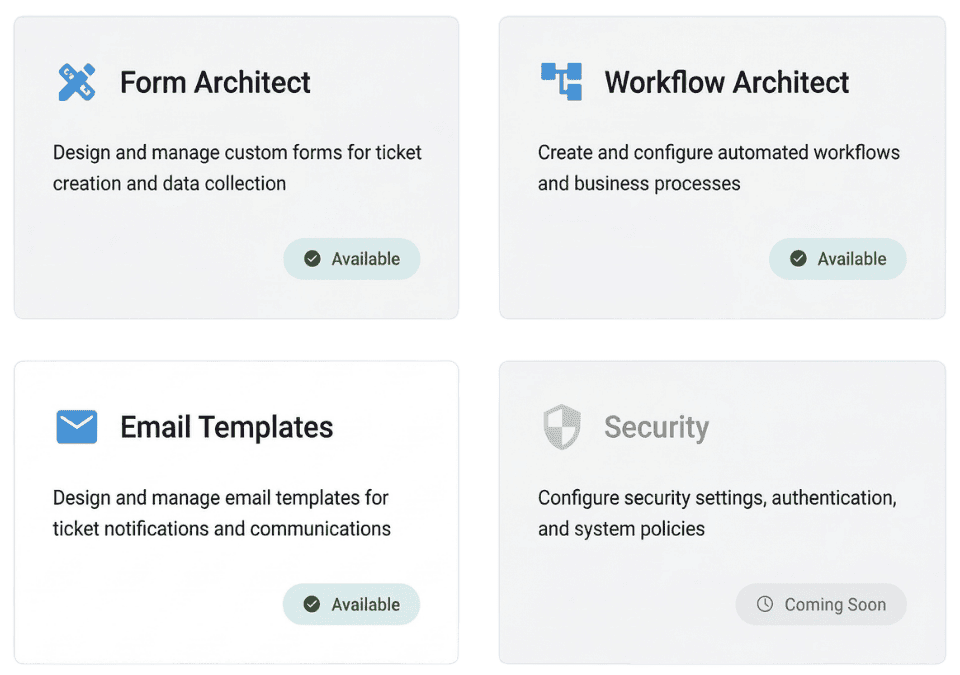
Turn network events into coordinated action.

Connect alarms to configurable processes that help teams assign responsibility, escalate issues and capture the information needed to move work forward.

Explore ticketing & workflows ↗
OwnershipNotificationsEscalation

CONNECTED RESPONSE

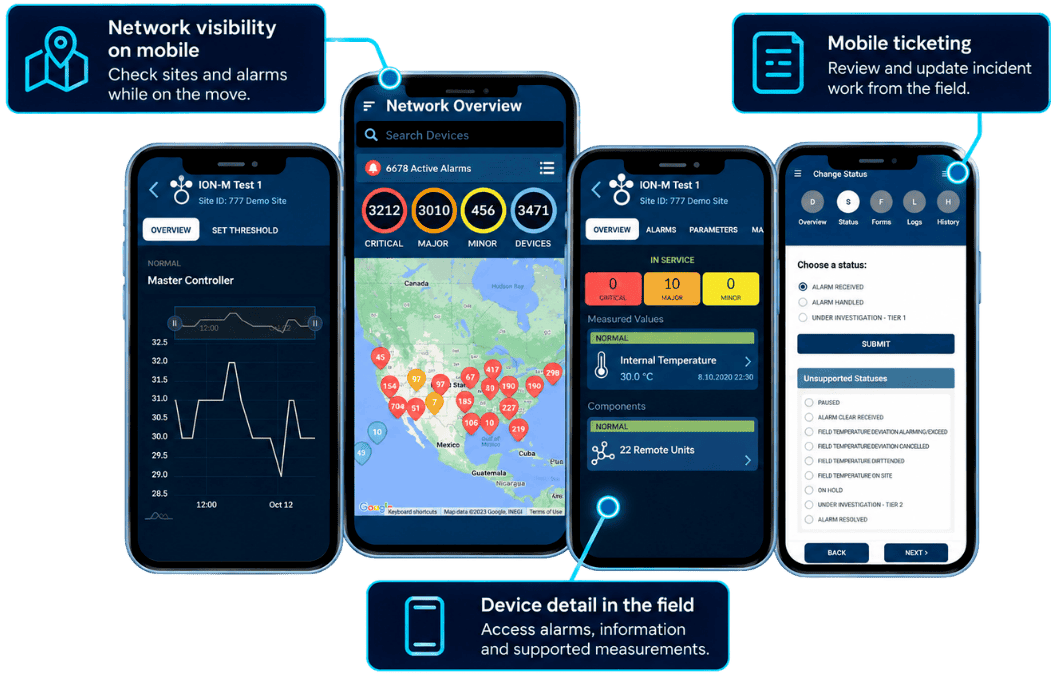
Bring the NOC into the field.

Give engineers access to device status, alarm context and assigned tickets. Capture updates, photos and maintenance details while the work is happening.

Explore field team solutions ↗
Device StausAssigned TicketsField Updates

PRODUCT UPDATES & CAPABILITIES

Real Networks. Real Operational Challenges

Explore published examples of monitoring, connected workflows and support for field teams.

Amazon logo

Bringing visibility to
30+ critical sites.

Explore Amazon's published deployment story: centralised DAS monitoring, automated ticketing and a coordinated rollout across 30+ sites.

Read the Amazon story
Nextivity logo

Nextivity sites. One operational view.

10+ customers have onboarded their Nextivity sites onto the Errigal platform for centralised monitoring, historical reporting and automated ticket workflows.

Explore the Nextivity integration
American Tower logo

Connecting DAS visibility with action.

See how American Tower uses Errigal IDMS to bring multi-vendor DAS monitoring, incident workflows and customer reporting into a shared operational environment.

Read the American Tower story
PG&E logo

Three smart meter networks. One operational view.

Errigal’s HSIM platform brought three distinct AMI networks into one management environment, connecting network visibility with automated monitoring and ticket workflows.

Read the PG&E case study
JMA logo

Helping RF hardware deliver more value.

Explore JMA’s published 2019 TEKO DAS certification and how Errigal brings discovery, monitoring and configuration into a shared software platform.

Read the JMA story
AirScan 5G by Errigal

See what users experience on your DAS.

Deployed across 25+ critical customer sites, AirScan tests mobile performance across carriers to reveal coverage gaps, degraded signal quality and DAS-to-macro transitions.

Read the AirScan article

Make an informed decision

Your network. Your questions.

Start with the details that matter to your team. Explore fit, integration and implementation before planning your next step.

Discuss your requirements ↗

Can Errigal monitor equipment from different vendors?

Errigal brings supported equipment into a shared view. The monitoring scope depends on the products, versions and integrations in your network.

How does Errigal work with an existing vendor NMS?

The platform can connect with supported systems and workflows. A tailored discussion helps confirm available integration options for your environment.

Can we connect monitoring with ticketing and workflows?

Errigal supports operational workflows that connect alarms with ticketing, notifications, reporting and escalation, according to your configured deployment.

What will a tailored demonstration cover?

A demonstration can focus on your network types, monitoring priorities, integrations and the teams who need visibility.

How are deployment scope and licensing established?

Scope is defined around your network, supported equipment, integrations and operational requirements.

Let’s talk about your network

See what clearer operations could look like for your team.

Bring your network challenges. We’ll focus the conversation on the visibility, workflows and information your people need.

Book a tailored demo ↗

A conversation about your network

Book a tailored demo.

Tell us a little about your priorities.

Your enquiry will go directly to the Errigal team.